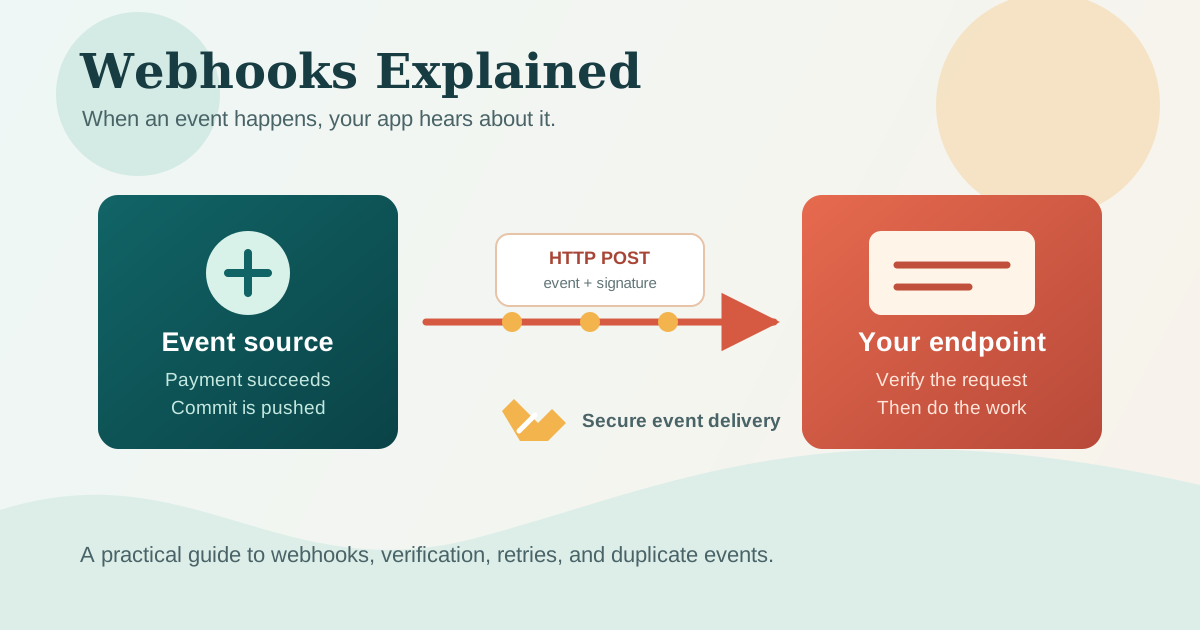
Your payment provider tells you a payment went through. GitHub tells you someone pushed a commit. Your email service tells you a message bounced. In each case, something happened in another system, and your application needs to know about it.
You could keep asking that system, "Anything new?" every few seconds. That works, but it is like refreshing a parcel tracking page all afternoon. A webhook lets the other system notify you instead.
Once the idea clicks, webhooks stop feeling mysterious. They are simply HTTP requests sent because an event occurred. The useful part is learning what happens around that request: how to receive it, verify it, and handle the occasional duplicate without accidentally charging someone twice.
The Problem Webhooks Solve
Most APIs work because your application starts the conversation. Your code sends a request such as GET /orders/123, and the API sends back a response. If you need the latest status again later, you ask again.
That is a great fit when a person opens an order page and wants to see its current state. It is less useful when the other service knows about a change first. A payment can complete while nobody has your dashboard open. A deployment can fail at 3 AM. A new GitHub issue can be created while your automation is waiting.
Polling is the common workaround. Your app asks an API for updates every minute, or every few seconds. That can be perfectly reasonable for a small background task, but most responses may say nothing changed.
Webhooks reverse the direction. You register a URL with the service, then it sends a request to that URL when a selected event happens.
What Is a Webhook?
A webhook is an HTTP callback. One application notices an event and makes an HTTP request to a URL controlled by another application. The receiving application reads the payload and decides what to do next.
Think about delivery notifications. You can keep checking the tracking page, or you can opt in to a text message when the parcel is out for delivery. Polling is checking the page. A webhook is the text message.
Webhooks usually use an HTTP POST request and send a JSON payload, although providers can choose different conventions. Stripe, GitHub, and Slack all offer webhook events.
The word "hook" is helpful here. You are giving another system a place to hook into your application when something interesting happens.
Webhooks vs APIs
An API and a webhook often work together, but they answer different needs. An API lets your application ask for data or request an action. A webhook lets another application announce that an event occurred.
| Question | API | Webhook |
|---|---|---|
| Who starts the request? | Your application | The external service |
| What causes it? | Your code needs data or wants an action | A configured event happens |
| Typical direction | Your app to the provider | Provider to your app |
| Useful example | Fetch an order's current details | Receive a payment-completed event |
| Does it need a public receiving URL? | Usually no | Yes, for the receiver |
For example, after receiving Stripe's payment_intent.succeeded event, your app might call Stripe's API to retrieve more details. The webhook tells you to pay attention. The API gives you a way to fetch current data or perform more work.
A Payment Webhook From Start to Finish
Imagine an online store that should send a receipt only after a payment succeeds. The customer finishes checkout, Stripe confirms the payment, and Stripe delivers an event to the store's webhook endpoint.
The store should not trust the event just because it reached a public URL. It should first verify that Stripe actually sent it. Once verified, it can record the event ID, update the order, and queue the receipt email.
sequenceDiagram
    participant Customer
    participant Stripe
    participant Store as Store webhook endpoint
    participant Worker as Background worker

    Customer->>Stripe: Complete payment
    Stripe->>Store: POST /api/webhooks/stripe (payment succeeded)
    Store->>Store: Verify signature and record event ID
    Store-->>Stripe: 200 OK
    Store->>Worker: Queue update order and send receipt
    Worker->>Worker: Process payment event
The flow has a few important parts:
- Sender: Stripe is the service delivering the event.
- Event:
payment_intent.succeededdescribes what happened. - Endpoint: Your store exposes a URL such as
https://example.com/api/webhooks/stripe. - Payload: The request body contains event data, usually JSON.
- Response: A successful
2xxresponse generally tells the sender it delivered the event. - Downstream work: Your app updates its own database or queues work that may take longer than the request.
A Tiny Receiving Endpoint
Here is a deliberately small Next.js route handler. It shows the shape of a webhook endpoint, but it does not verify a signature. Do not use it as-is for a production payment webhook.
import { NextRequest, NextResponse } from "next/server";

export async function POST(request: NextRequest) {
  const event = await request.json();

  if (event.type === "payment_intent.succeeded") {
    console.log("Payment succeeded:", event.data?.object?.id);
    // Queue your order update or receipt email here.
  }

  return NextResponse.json({ received: true }, { status: 200 });
}
Your endpoint should reply quickly. If sending an email or generating an invoice takes time, place that work on a queue or hand it to a background worker. A slow handler may time out, and the provider may retry.
Security Is Not Optional
A webhook endpoint is public by design. Anyone who finds its URL can send an HTTP request to it. That does not mean every request deserves to trigger your business logic.
Most serious webhook providers sign each request. They create a cryptographic signature from the request body and a secret known only to you and them. Your server uses its copy of the secret to verify the signature before it trusts the payload.
This is different from authenticating an API request. When you call an API, you often send your credential to prove who you are. With a webhook, the provider calls you, and you verify that its request is authentic.
Follow these basics:
- Use HTTPS. It protects the payload while it travels over the network.
- Verify the provider's signature using its official SDK or documented algorithm.
- Verify the raw request body when the provider requires it. Parsing and reformatting JSON before verification can change the bytes the signature covers.
- Keep the signing secret in environment variables, not source control.
- Reject unexpected event types and validate the fields your application relies on.
Avoid a tempting shortcut: accepting a request because it contains a header with a familiar name. A client can invent headers. A correctly verified signature is what makes the header meaningful.
Reliability: Retries, Duplicates, and Order
Webhook delivery is usually reliable, but it is not magic. Network connections fail. Your server can be temporarily unavailable. The provider may retry an event when it does not receive a timely successful response.
That means you should expect the same event more than once. Suppose your endpoint updates an order and then loses its network connection before it can return 200 OK. Stripe may retry. If your code sends a receipt every time it sees the event, the customer could get two receipts.
The usual defense is idempotency. An idempotent handler has the same result whether it runs once or several times. Store the provider's unique event ID in your database. Before processing an event, check whether that ID was handled already. If it was, return a successful response without repeating the side effect.
Events can also arrive out of order. A delayed update should not overwrite newer data. When order matters, use timestamps, version numbers, or fetch the latest state through the provider's API before making an important decision.
Useful habits for a production webhook handler include:
- Log the event ID, event type, and delivery outcome.
- Return a
2xxresponse only after you have safely accepted or recorded the event. - Move expensive work to a queue after recording the event.
- Build a way to replay or reconcile missed events when the provider supports it.
Exactly-once delivery is a lovely idea, but it is not a promise most webhook systems can make across a network. Design for at-least-once delivery, then make duplicates harmless.
Where Webhooks Shine
Webhooks are especially useful when an external system owns the event and your application needs to react soon after it happens:
- Payments: Mark an order as paid after a provider confirms it.
- Source control: Trigger CI tasks or post a message when GitHub receives a push or pull request.
- Communication: Track email deliveries, bounces, or incoming Slack interactions.
- Commerce: Update inventory when an order is created in another storefront.
Before choosing webhooks, ask a few simple questions:
- Does another system know about the event before my app does?
- Do I need a quick response instead of periodic checks?
- Can I expose and secure a public HTTPS endpoint?
- Can my handler safely process a retry or duplicate?
- Would occasional polling be simpler and good enough for this feature?
If the answer is yes to the first four questions, webhooks are likely a strong fit. If the update is not time-sensitive or the other service does not offer webhooks, polling may be the more practical choice.
Closing Thoughts
Webhooks are not a separate kind of internet plumbing. They are ordinary HTTP requests used in an event-driven direction. That simple idea is why they show up everywhere, from payments and deployments to chat apps and inventory systems.
Start small: receive a test event, verify its signature, log its ID, and return a fast response. Account for retries and duplicates before attaching important side effects.
Comments
Join the discussion on GitHub.