Why AI terms feel harder than they should
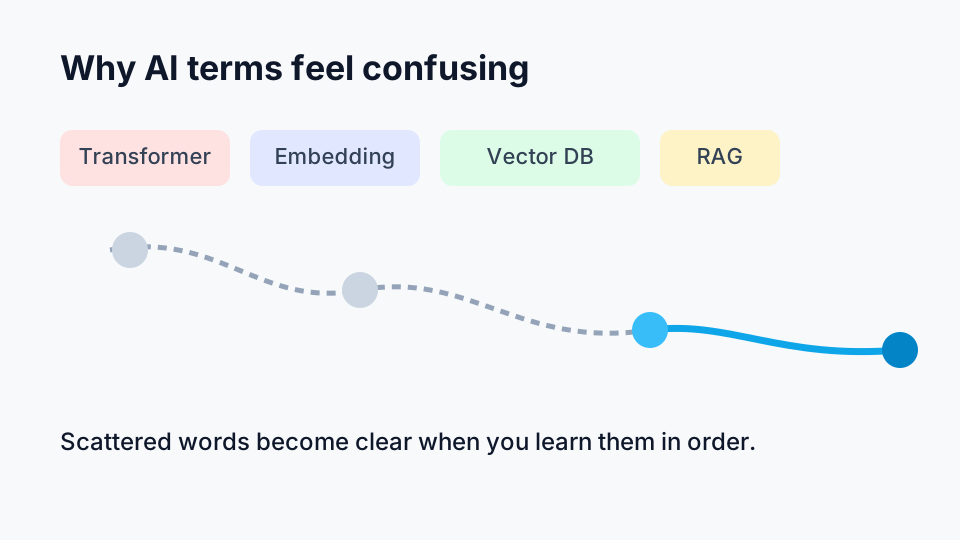
If you have ever opened an AI article and immediately hit words like transformer, embedding, or vector database, you are not alone.
Most people do not struggle because the ideas are impossible. They struggle because explanations often start in the middle. One paragraph talks about neural networks, the next jumps to fine-tuning, then someone casually says, “just add RAG,” as if that explains anything.
This post is a reset.
You will get AI terms explained in a clean order, from basic ideas to modern LLM terminology, then to practical terms used in real AI products. No heavy math. No “trust me, it’s obvious.” Just useful mental models and straightforward language.
By the end, you should be able to read AI blog posts, product docs, and startup landing pages with much more confidence.
Start here: what AI actually is
At the simplest level, Artificial Intelligence (AI) means software that performs tasks that usually require human-like judgment.
That includes things like:
- understanding language
- recognizing images
- recommending what to watch or buy
- writing code suggestions
A useful way to think about AI is this:
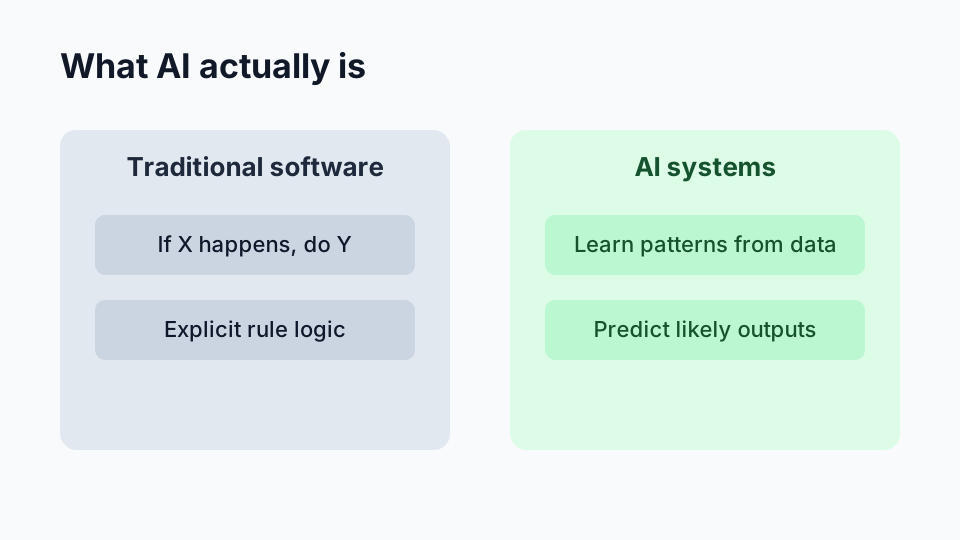
- Traditional software follows explicit rules written by developers.
- AI systems learn patterns from data, then apply those patterns to new inputs.
Traditional app logic is often “if X happens, do Y.” AI logic is more like “based on many examples, this output is probably right.”
That word probably matters. AI is often probabilistic, not guaranteed.
Core foundational terms (the ones you must know first)
Artificial Intelligence (AI)
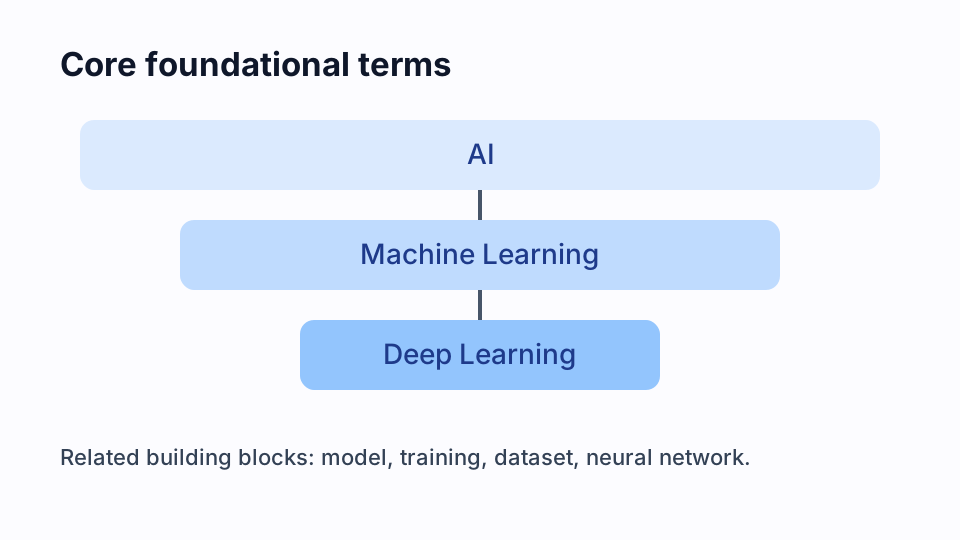
AI is the broad umbrella term. It includes many techniques.
If AI were a big city, machine learning, computer vision, and NLP would be neighborhoods.
Machine Learning (ML)
Machine Learning is a subset of AI where models learn from data instead of being programmed with every rule directly.
Example:
- Instead of writing 300 hand-made rules for spam detection, you train a model on emails labeled “spam” or “not spam.”
Deep Learning
Deep Learning is a subset of ML that uses layered neural networks.
You can think of it as ML techniques that are especially good at handling complex patterns, such as language, images, and audio.
Neural Network
A neural network is a model architecture inspired loosely by how neurons connect in brains. In practice, it is a stack of mathematical layers that transform input into output.
You do not need to memorize equations to use the term correctly. For now, think:
- Input goes in.
- Layers process signals.
- Output comes out.
- Training adjusts the network so outputs improve.
Model
A model is the trained system that makes predictions or generates output.
If data is your study material and training is your practice, the model is the skill you end up with.
Training
Training is the process of teaching a model using data.
During training, the model makes guesses, compares guesses to expected answers, and updates itself repeatedly to reduce mistakes.
Dataset
A dataset is the collection of examples used for training and evaluation.
A bad dataset usually means a bad model, no matter how fancy the architecture sounds.
If the data is biased, outdated, tiny, or noisy, results will reflect those problems.
How models learn and generate outputs
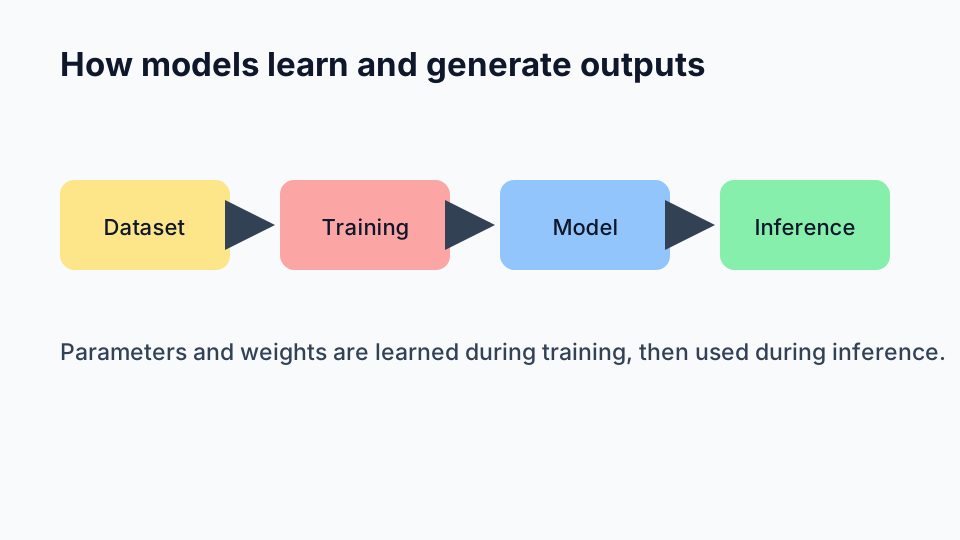
Once you know the basic nouns, the next step is understanding what happens during learning and usage.
Parameters and weights
These are often used almost interchangeably in beginner discussions.
- Parameters are the internal values the model learns.
- Weights are a type of parameter that controls the strength of connections/signals.
When people say a model has “7B parameters,” they mean it has billions of learned values. Bigger models can learn richer patterns, but bigger does not automatically mean better for every task.
Inference
Inference is what happens when a trained model is actually used.
Training is school. Inference is exam day.
You send input, model returns output. No learning is supposed to happen in that moment (unless special online-learning design is used).
Prompt
In modern generative AI systems, a prompt is the instruction or input text you give the model.
Example prompt:
Explain caching to a beginner in 5 bullet points.
Better prompts usually create better outputs because they reduce ambiguity.
Context window
The context window is how much text/input the model can consider at one time.
If your conversation, instructions, and documents exceed the window, older or lower-priority content may be dropped. That is one reason models can “forget” instructions in long chats.
This is also why people split large documents into chunks in production systems.
From ML terms to modern LLM terms
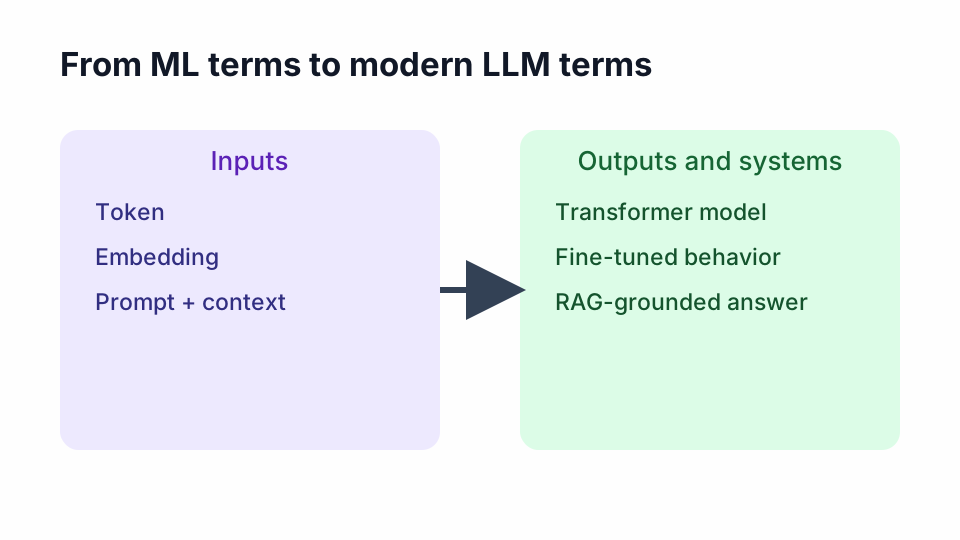
Now we move into terms you hear constantly in generative AI and LLM discussions.
Token
A token is a chunk of text a model processes.
It is not always a full word. It might be:
- a full word
- part of a word
- punctuation
LLM cost, speed, and limits are usually measured in tokens, not characters.
If an API says “input tokens + output tokens,” that is your usage meter.
Embedding
An embedding is a numeric representation of meaning.
The model turns text into vectors (lists of numbers) so similar meanings land near each other in vector space.
Plain-English use case:
- “reset password help” and “can’t log in” should end up semantically close.
Embeddings power semantic search, recommendation, clustering, and many RAG pipelines.
Transformer
A transformer is the architecture behind most modern LLMs.
Its key strength is handling relationships between words/tokens efficiently, even across long spans of text.
You do not need the full attention-mechanism math to use the term well. For practical understanding:
- Transformers made large-scale language modeling much more effective.
- Most chat-style AI systems today are transformer-based.
Fine-tuning
Fine-tuning means taking a pre-trained model and training it further on a narrower dataset for a specific goal.
Examples:
- legal document summarization
- healthcare note classification
- internal support style response generation
Fine-tuning can improve specialization, but it costs time, data curation effort, and evaluation discipline.
RAG (Retrieval-Augmented Generation)
RAG is a pattern where you retrieve relevant external information and provide it to the model before generation.
Why it matters:
- Base model knowledge can be stale.
- Business-specific facts are often missing.
- RAG helps answers stay grounded in your documents.
Simple flow:
- User asks question.
- System finds relevant docs/chunks.
- Retrieved context is injected into the prompt.
- Model generates answer based on both question and retrieved context.
Hallucination
A hallucination is when an AI model outputs information that sounds confident but is wrong, unsupported, or fabricated.
This is not a rare edge case. It is a known behavior pattern in generative systems.
Beginner rule of thumb:
- Treat fluent output as a draft, not as guaranteed truth.
Advanced practical terms used in real AI products
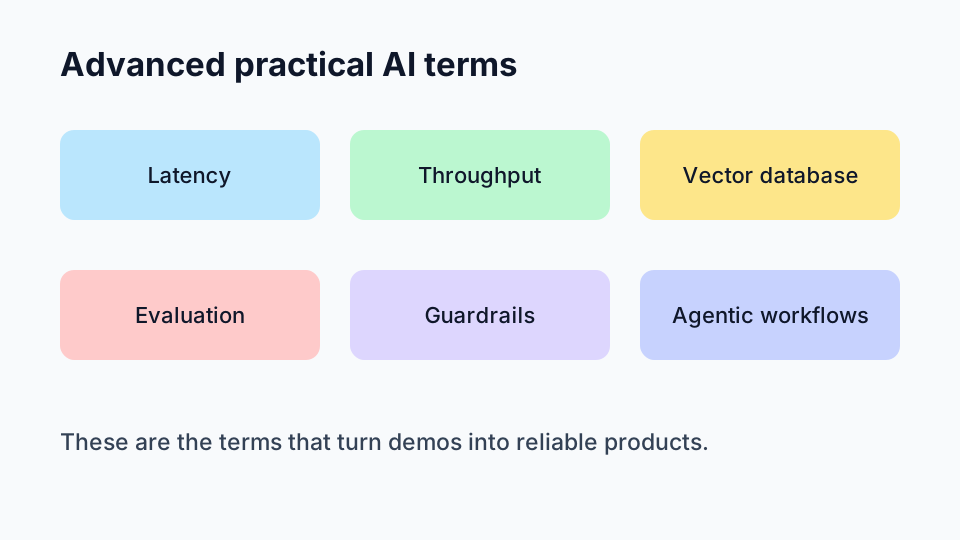
These are the terms teams discuss when turning demos into reliable products.
Latency
Latency is response time.
If a chatbot takes 12 seconds to answer, users feel friction even when the answer is correct. In consumer products, perceived speed often matters almost as much as quality.
Throughput
Throughput is how many requests/tasks your system can handle over time.
Latency asks, “How fast is one request?” Throughput asks, “How many requests can we process per minute/second?”
High-traffic systems need both reasonable latency and strong throughput.
Vector database
A vector database stores embeddings and supports similarity search.
In RAG systems, this is usually where document chunk embeddings are stored so the system can quickly retrieve semantically relevant context.
Think of it as a meaning-based index, not just keyword matching.
Evaluation (evals)
Evaluation is how you measure model/system quality.
If you skip evals, you are mostly guessing.
Practical eval dimensions include:
- factual accuracy
- relevance
- safety policy adherence
- consistency of output format
- task completion success rate
Good teams track evals before and after prompt changes, model swaps, and retrieval updates.
Guardrails
Guardrails are controls that reduce unsafe, off-policy, or low-quality behavior.
Examples:
- input validation
- output moderation
- restricted tool permissions
- policy checks for sensitive topics
- schema validation for structured outputs
Guardrails are not “nice to have” in serious applications. They are part of engineering the system, not an optional afterthought.
Agentic workflows
Agentic workflows refer to systems where an LLM can decide between steps or tools to complete multi-step tasks.
For example, an AI assistant might:
- read a support ticket
- query order status
- draft a response
- ask for approval before sending
Useful, yes. Risk-free, no.
Agentic designs need strict boundaries, observability, and fallback paths because autonomous step-chaining can amplify errors.
Four everyday examples that make these terms real
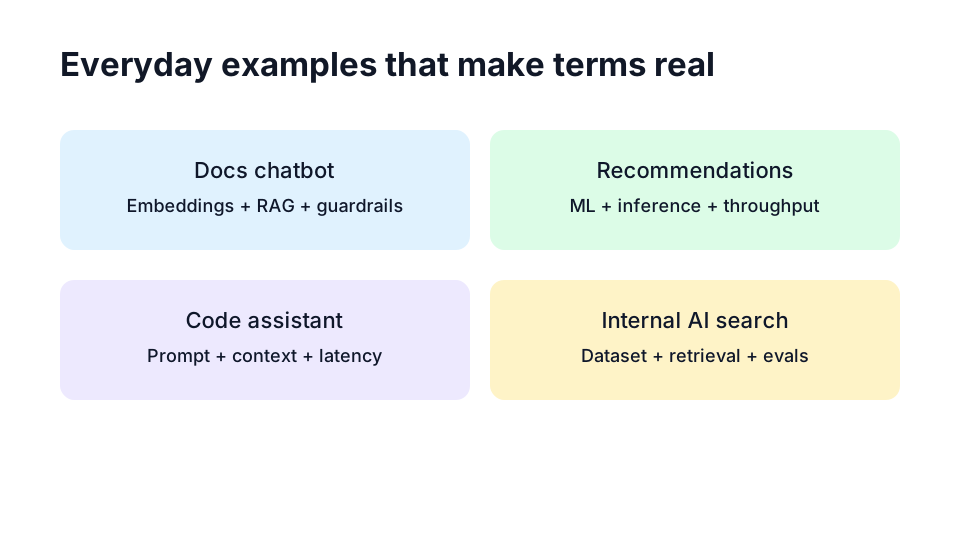
1. Chatbot on a docs website
- Uses embeddings + vector database for retrieval
- Uses RAG to ground answers in product docs
- Needs guardrails to avoid unsafe or invented instructions
2. Movie or product recommendations
- Uses ML models trained on behavior patterns
- Inference happens when generating what to show you next
- Throughput matters during peak traffic
3. Code assistant in an editor
- Prompt includes your current file context
- Context window limits how much code can be considered
- Latency is crucial because slow suggestions break flow
4. AI search across internal company knowledge
- Dataset quality drives result trust
- Retrieval quality affects hallucination rate
- Evals are needed to verify improvements over time
Quick reference recap (plain-English glossary)
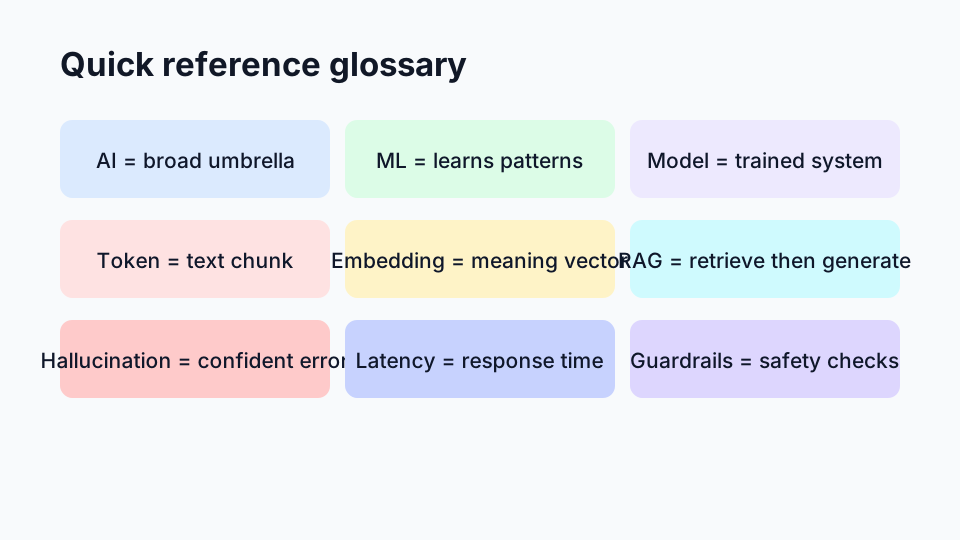
| Term | Simple meaning | Why it matters |
|---|---|---|
| AI | Software doing tasks that need human-like judgment | Big umbrella concept |
| ML | Models learn from data patterns | Core method behind many AI systems |
| Model | Trained system producing output | The thing you actually run |
| Training | Process of learning from data | Determines model behavior |
| Inference | Using the trained model | Real-time product behavior |
| Token | Text chunk processed by LLM | Drives limits, cost, and speed |
| Embedding | Numeric meaning representation | Enables semantic search and RAG |
| RAG | Retrieval + generation pattern | Grounds responses in real docs |
| Hallucination | Confident but wrong output | Main reliability risk |
| Latency | Response time | User experience quality |
| Throughput | Requests handled over time | Scalability and capacity |
| Guardrails | Safety and behavior controls | Prevents bad or unsafe outputs |
How to read AI claims critically (without being cynical)
You do not need a PhD to evaluate AI claims better than most headlines.
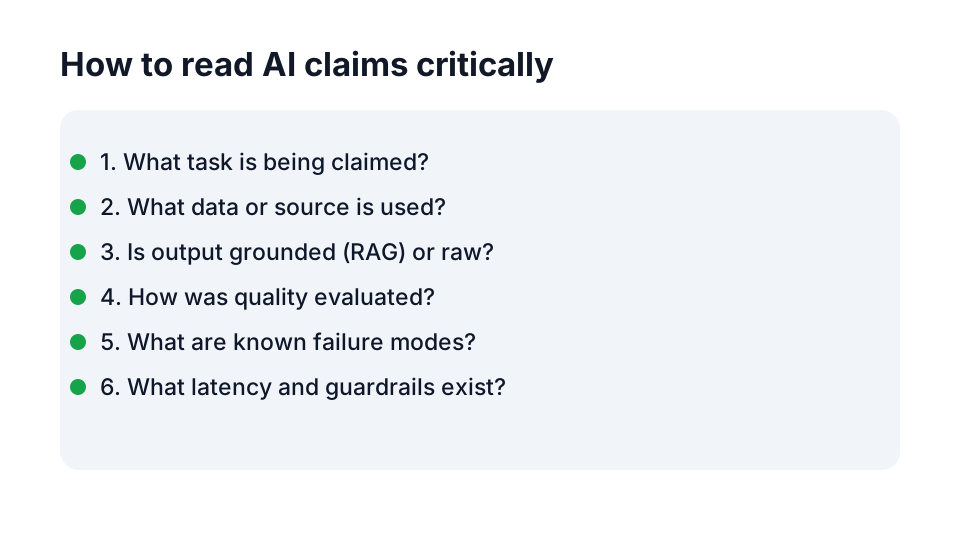
Use this beginner checklist:
- What exact task is being claimed?
- What data/source is the model using?
- Is this base-model output or RAG-grounded output?
- How was quality measured (any eval details)?
- What are known failure modes?
- What is latency at realistic load?
- What guardrails are in place?
If answers are vague, confidence should be low.
A lot of AI marketing sounds impressive because terms are stacked together: “agentic multimodal RAG platform with adaptive memory.” That might be brilliant engineering, or it might be a fancy sentence hiding fragile behavior. Usually you find out when users arrive.
Healthy skepticism is not negativity. It is product maturity.
Common beginner misunderstandings to avoid
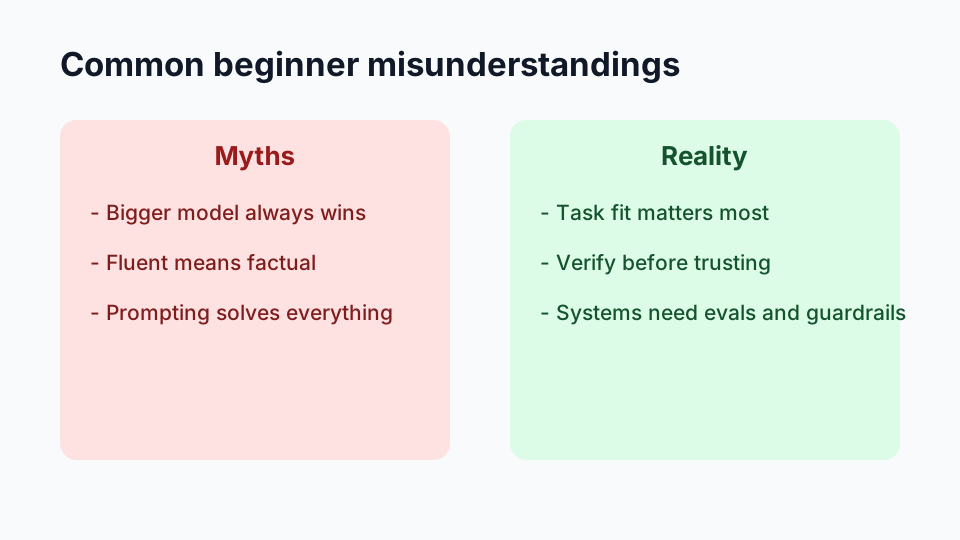
“Bigger model means best model”
Not always. Smaller models can win on latency, cost, and control for focused tasks.
“If it sounds fluent, it must be true”
Fluency is not factuality. Always separate writing quality from truth quality.
“Prompt engineering alone solves everything”
Prompt quality helps, but production quality needs retrieval design, evals, guardrails, and monitoring.
“AI app and AI demo are basically the same”
A demo proves possibility. A product proves reliability under real usage.
Where to go next after this guide
If this is your first serious pass through AI jargon for beginners, you now have the map most people wish they had earlier.
A practical learning path from here:
- Pick one real tool you use (chatbot, code assistant, recommendation app).
- Identify where terms in this post show up in its behavior.
- Read one technical article and translate each jargon term into plain language in your own notes.
- Build a tiny experiment: a small RAG prototype or a prompt + eval loop.
You do not need to master every buzzword this week. You just need to build correct mental models one layer at a time.
That is how confusing AI vocabulary turns into practical understanding.
And once the terms stop feeling mysterious, the space becomes much easier to navigate. You can ask better questions, spot weak claims faster, and focus on what actually matters: building useful systems that work for real people.
Comments
Join the discussion on GitHub.