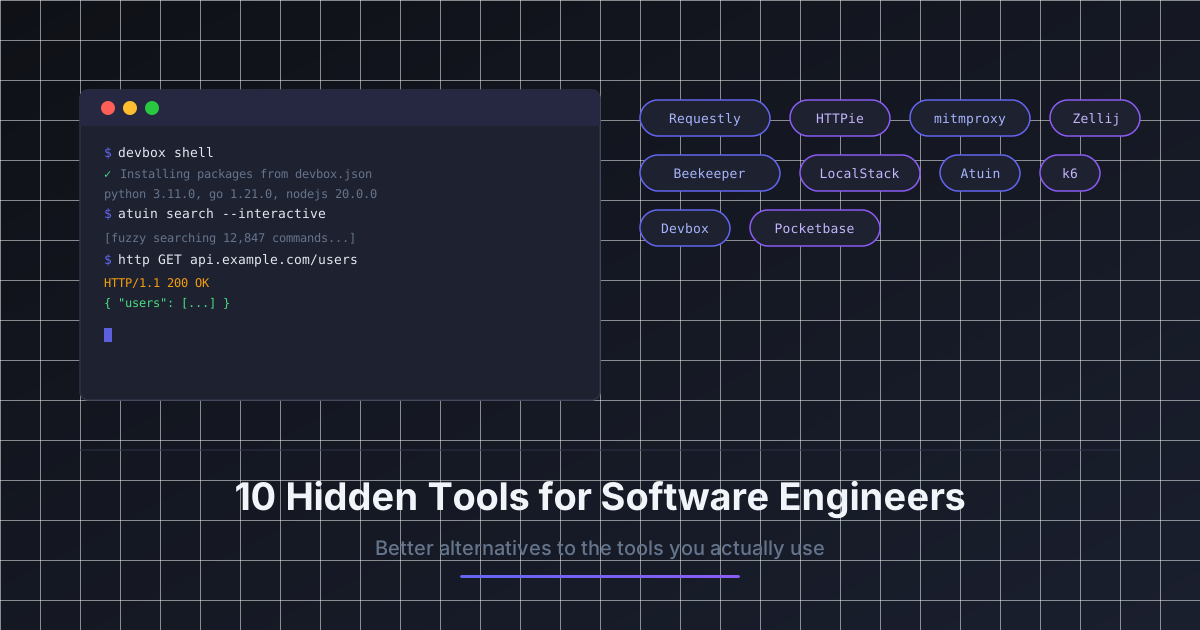
Your API client takes 8 seconds to open. Your database GUI uses 400MB of RAM before you have connected to anything. Your terminal multiplexer requires memorizing key bindings from 1990s documentation. Your HTTP proxy costs $60 per year.
None of these are technical constraints. They are defaults.
You installed the tool everyone else uses, and you kept using it because it worked well enough. The problem with "well enough" is that it accumulates. Across 8 tools, 8 slightly suboptimal workflows add up to a noticeably slower, more frustrating engineering day.
This article is not about chasing novelty. It is about specific tools that win in specific workflows, across areas from API debugging to terminal productivity to local cloud development.
Why The Defaults Persist
Every tool on this list replaces something popular. Not because the popular tool is bad overall, but because most engineers have never had a reason to look beyond it.
Each pick:
- replaces a widely-used default
- is less popular than that default
- is better in at least one real engineering workflow that matters
1) Requestly
API testing, request interception, and network debugging in one tool
Replaces: Postman
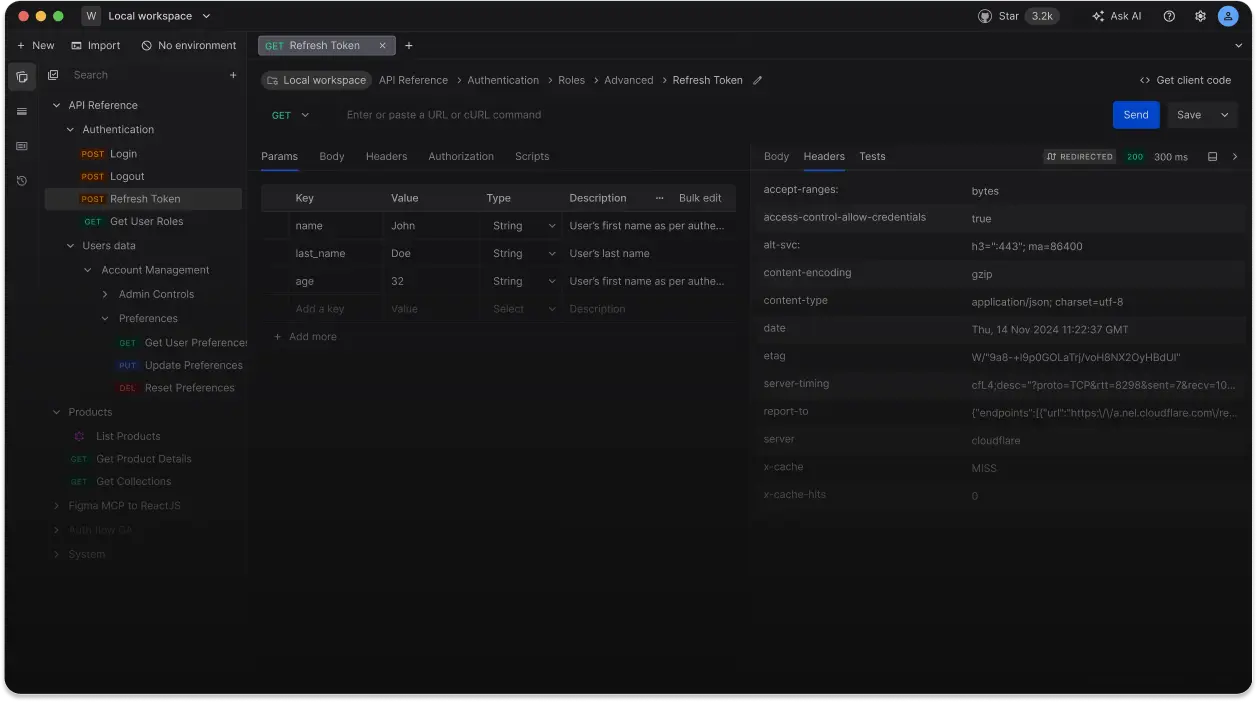
Postman is the default API client for most engineers. It works. But it has become increasingly heavy: slow startup, a required account, a bloated workspace UI, and a persistent push toward paid team features for things that used to be free.
The more significant limitation is what Postman is not: it is not a browser extension, and it does not intercept live HTTP traffic from your running application.
Requestly covers both sides. It works as a browser extension and a desktop app. You can send API requests the same way you would in Postman, but you can also intercept and modify real HTTP requests happening inside your browser, redirect URLs, inject custom headers, mock API responses, and simulate slow or failing network conditions.
Where it beats Postman
- Request interception in the browser without a separate proxy setup
- Mock API responses directly in the browser for frontend debugging
- Redirect production API calls to a local server during development
- Simulate degraded network conditions with zero additional tooling
Trade-offs
- Team collaboration features are limited on the free tier
- For large API collections with complex scripted test suites, Postman is still more capable
- Requestly is strongest for individual debugging workflows, not automated API test pipelines
Workflow example
You are debugging a frontend issue where a third-party API returns different data in production than in staging. Instead of setting up a full proxy, you install the Requestly browser extension, add a rule to intercept requests to the production API URL, and redirect them to your staging endpoint. The entire setup takes under two minutes.
2) HTTPie
Human-readable HTTP client for the terminal
Replaces: curl

curl is installed everywhere. It is the universal default for making HTTP requests from the command line, and it is extremely capable. It is also hard to read quickly.
Flags like -H, -d, -X, and --data-urlencode require looking them up for anything slightly uncommon. The output is raw, uncolored, and needs a separate | python3 -m json.tool or | jq pass to be legible.
HTTPie is a CLI HTTP client designed around readability. Requests use a natural syntax. Output is colorized and formatted by default. JSON bodies are inferred automatically.
# curl equivalent
curl -X POST https://api.example.com/users \
  -H "Content-Type: application/json" \
  -H "Authorization: Bearer $TOKEN" \
  -d '{"name": "Alice", "role": "admin"}'

# HTTPie equivalent
http POST https://api.example.com/users \
  Authorization:"Bearer $TOKEN" \
  name=Alice role=admin
Where it beats curl
- Readable syntax without memorizing flags
- JSON responses are automatically formatted and colorized in the terminal
- Session persistence: store and resend auth headers across requests with
--session --offlineflag to preview the full request without sending it
Trade-offs
- Not installed by default, so you cannot rely on it in arbitrary environments or CI scripts
- For automation and scripting, curl is more portable and universally available
- HTTPie is best as an interactive daily debugging tool, not a scripting primitive
Workflow example
You are testing an authenticated endpoint repeatedly while debugging a permission issue. With curl you paste the full header flags every time or maintain a shell alias. With HTTPie you create a named session once (http --session=dev POST ...) and it stores and resends your auth headers automatically on every subsequent request.
3) mitmproxy
Scriptable open-source HTTPS proxy and traffic inspector
Replaces: Charles Proxy
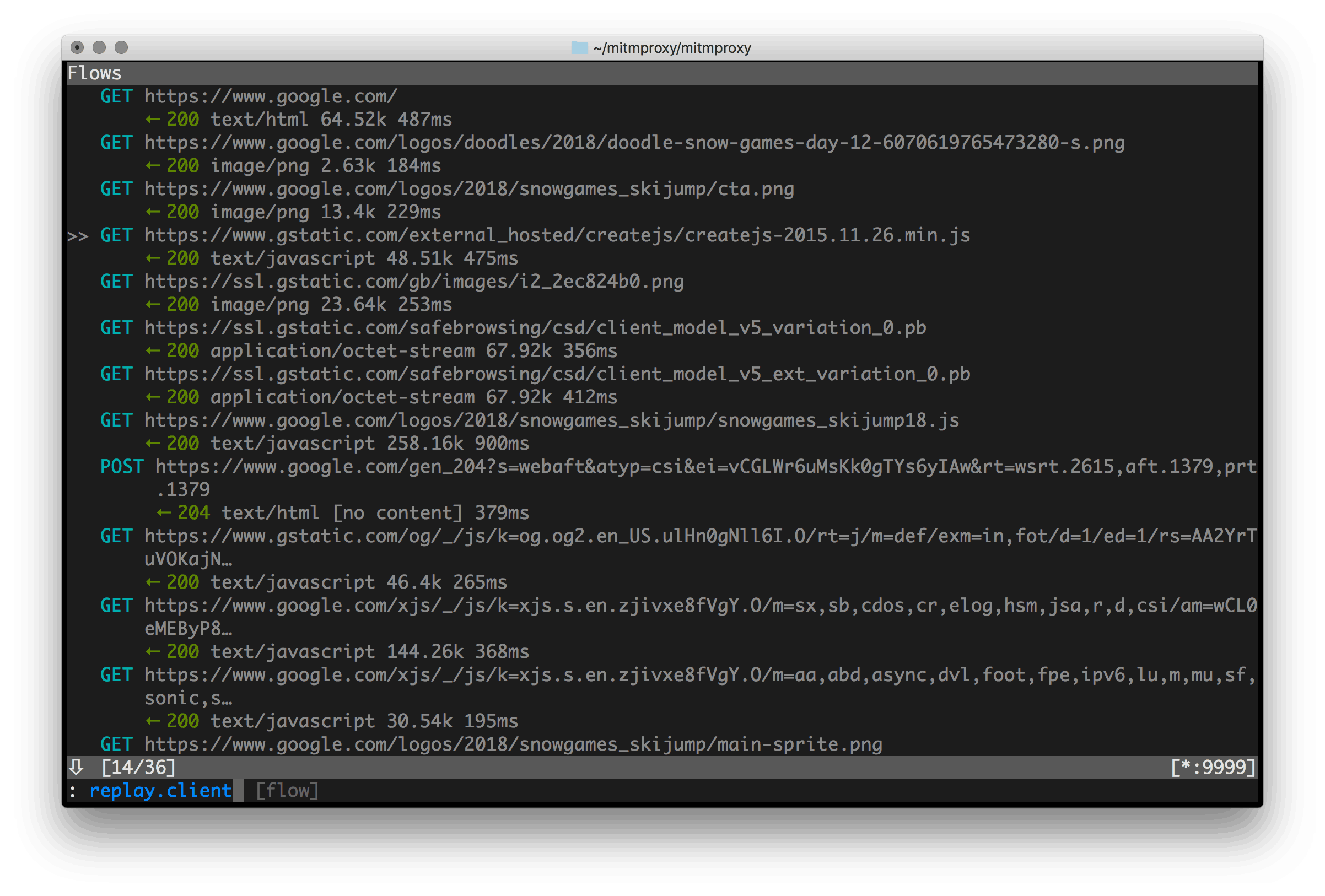
Charles Proxy is the standard GUI tool for inspecting HTTP and HTTPS traffic. It is also $60 per license, has not changed substantially in years, and provides no scripting or automation capability.
mitmproxy is a free, open-source alternative that runs in the terminal and offers something Charles never will: full programmability via Python. You write addons that intercept, inspect, modify, or replay any request or response in your traffic.
Where it beats Charles
- Free with no license cost
- Python addon API for modifying traffic programmatically
mitmdumpfor capturing traffic non-interactively in CI or automation pipelinesmitmwebprovides a browser-based UI when you want a GUI- Interception logic lives in Python files you can version alongside your code
Trade-offs
- Steeper learning curve than Charles if you want the scripting features
- The terminal UI takes time to get comfortable with
- Charles is faster for casual one-off GUI inspection without any configuration
Workflow example
You want to test how your mobile app handles a specific error response from an API. With mitmproxy and a 10-line Python script, you intercept all requests to that endpoint and return a 503 response. The script goes into your repository. The next time someone needs to reproduce the scenario, they run the same script instead of manually configuring a GUI from scratch.
4) Beekeeper Studio
Open-source cross-platform SQL client with no artificial feature limits
Replaces: TablePlus
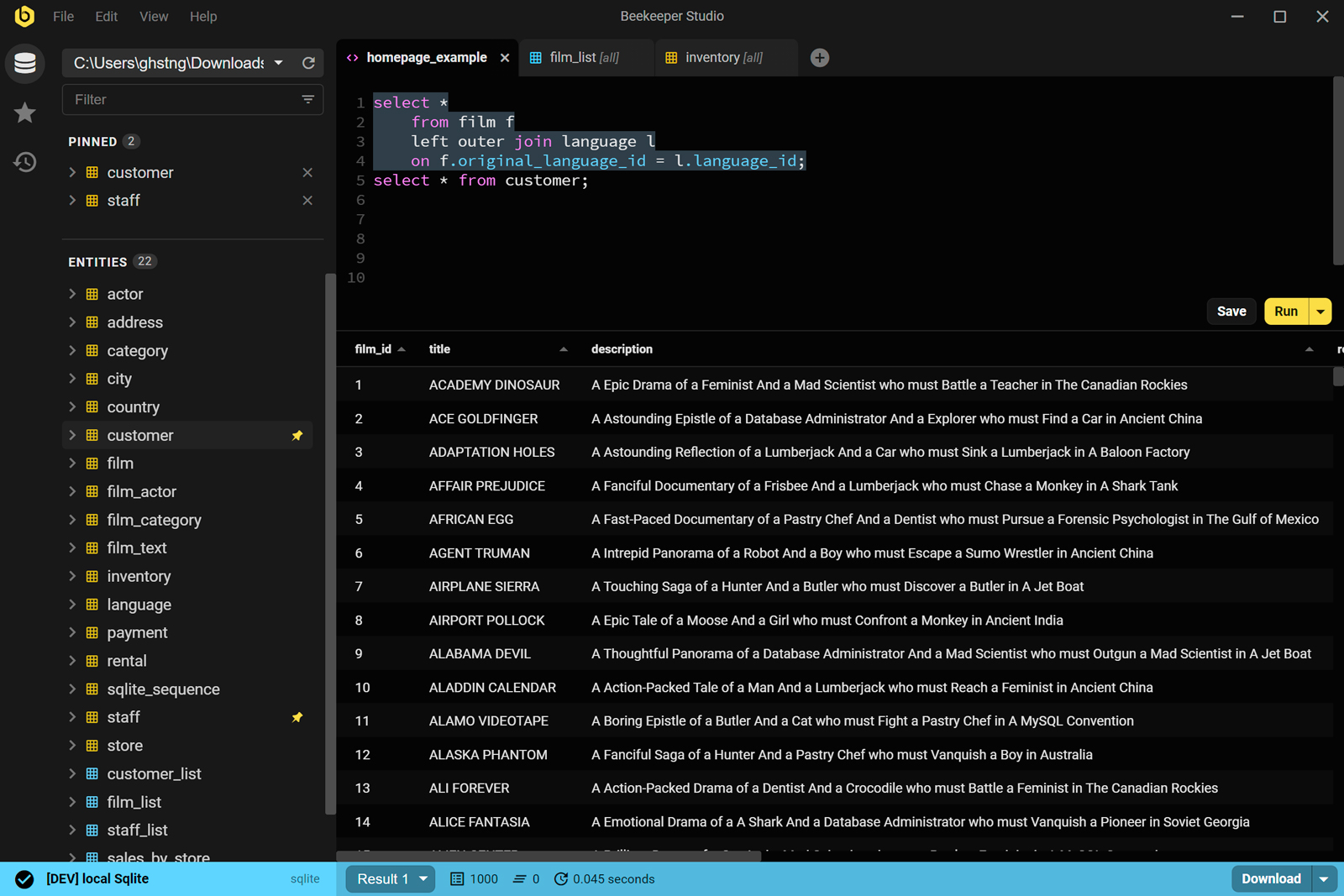
TablePlus is widely recommended and genuinely well-designed. The issue is the pricing model: the free tier limits you to two open tabs and a reduced feature set, and the paid license is per-version, meaning you pay again for major updates.
Beekeeper Studio is fully open-source. The community edition is not a stripped-down version. It includes a full query editor, saved queries, table management, and connection management. It supports PostgreSQL, MySQL, SQLite, SQL Server, MariaDB, and more.
Where it beats TablePlus
- Fully open-source community edition with no tab limits or gated features
- Equal support on macOS, Windows, and Linux
- SSH tunnel support included without an upgrade
- Saved queries and connection workspaces persist across sessions
Trade-offs
- TablePlus has a slightly faster and more polished feel for power users on macOS
- Auto-complete and schema introspection in Beekeeper Studio are less refined
- Check compatibility before switching if you use Oracle or less common database engines
Workflow example
You connect to three different databases daily across your team's services. In Beekeeper Studio you create a workspace with all three connections, SSH tunnels configured for the two remote ones, and your most-used audit queries saved. You export the workspace config and share it with a new engineer. They are connected and running queries in under 10 minutes without configuring anything from scratch.
5) LocalStack
Full local emulation of AWS services for dev and testing
Replaces: AWS development environments and shared dev accounts

The standard practice for developing against AWS services is to use a real AWS account, often a shared development environment. This means your local workflow requires a live internet connection, incurs real AWS costs on every test run, and depends on a shared environment where someone else's misconfigured Lambda can break your test suite.
LocalStack runs a local emulation of AWS services inside a Docker container. S3, SQS, DynamoDB, Lambda, API Gateway, SNS, Secrets Manager, and more run entirely on your machine.
Where it beats real AWS for development
- Zero AWS cost for all local development and testing
- Works fully offline once the container is running
- No shared environment conflicts between team members
- Faster iteration: no cross-region network latency
- Fully resettable: destroy and recreate your entire cloud environment in seconds
Trade-offs
- Not every AWS service is fully emulated, and some have edge-case behavioral gaps
- Lambda cold starts and some timing-sensitive behaviors differ from real AWS
- The Pro tier is required for some advanced services; the community edition covers the most common ones
- Final integration tests should still run against real AWS before any deployment
Workflow example
You are building a service that processes files uploaded to S3 and pushes a message to SQS. With LocalStack, your entire development loop runs without touching a real AWS account. You start the container with docker compose up localstack, create your bucket and queue using the AWS CLI pointed at http://localhost:4566, and run your full service locally. No cost, no shared state, no waiting for real S3 uploads to propagate.
6) Zellij
Terminal multiplexer with a usable interface out of the box
Replaces: tmux
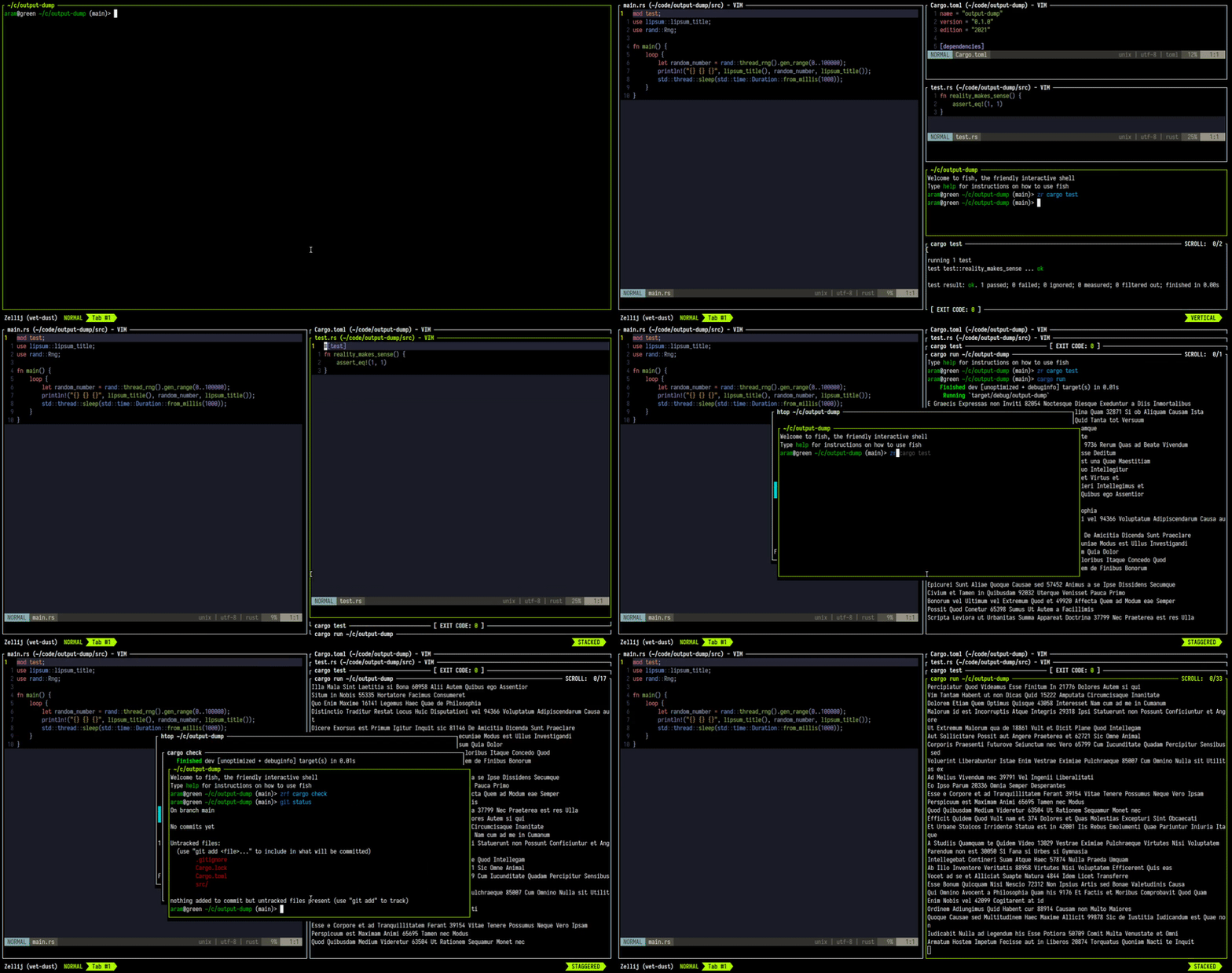
tmux is the standard terminal multiplexer and it is genuinely powerful. The barrier is the learning curve: the default key bindings are non-intuitive, a useful .tmux.conf is something most people copy from GitHub, and the UI provides no on-screen cues to help you remember what keys do what.
Zellij is a terminal multiplexer that shows you what it can do. Key bindings are displayed at the bottom of the screen at all times. Layouts are defined in KDL files that are human-readable and easy to commit to a repository. Pane management works similarly to tmux but is far more discoverable.
Where it beats tmux
- On-screen key binding hints mean zero memorization to get started
- Layout files are declarative and readable without learning tmux's scripting syntax
- Built-in floating panes without a plugin
- Plugin system built on WebAssembly
- Detach and reattach work the same way as tmux
Trade-offs
- tmux has years of community configuration, plugins, and documentation behind it
- Zellij is less common in shared server environments where tmux is already installed
- Some advanced tmux users find Zellij's key model more constrained
- Startup time is marginally higher than tmux
Workflow example
You want a consistent terminal layout for a project: one pane for your dev server, one for your test runner, one for git. In Zellij you write a layout file that opens all three panes automatically on startup. You commit the layout file to the repository. Every new engineer who clones the repo can run zellij --layout ./dev.kdl and get the same configured workspace without reading a setup guide.
7) Atuin
Searchable, encrypted, syncable shell history
Replaces: Default shell history and Ctrl+R

The default shell history in bash and zsh works, but it is limited. It stores a flat list, loses commands between terminal sessions on some configurations, does not record the working directory or exit code, and the built-in Ctrl+R search is sequential with no fuzzy matching.
Atuin replaces this with a SQLite database of your shell history that stores additional context per command: timestamp, working directory, exit code, and session. The search UI is a full-screen interactive filter that finds commands across all past sessions.
Where it beats default history
- Fuzzy full-text search across your entire history, not just the current session
- Records exit code so you can filter to commands that succeeded or failed
- Records working directory so you can filter to commands run in a specific path
- Optional encrypted sync across machines through Atuin's server or a self-hosted instance
- Works with bash, zsh, and fish without significant changes to your shell config
Trade-offs
- Adds a small per-command overhead to write to the SQLite database
- The sync feature requires trusting Atuin's server or time to self-host
- Secrets typed into commands are still stored; Atuin does not replace secret scanning
Workflow example
You remember running a specific docker build command with several custom build arguments two weeks ago on a different machine. With default history it is gone. With Atuin you open the search UI with Ctrl+R, type part of the command, filter by directory, and find it in under 10 seconds. The sync means it does not matter which machine you originally used.
8) k6
Modern load testing in JavaScript, designed for developers
Replaces: JMeter
JMeter is the default load and performance testing tool in many teams. It is powerful and battle-tested. It is also a Java GUI application with an XML-based test format that produces files no one wants to read in a code review, and a configuration curve that results in tests engineers rarely actually maintain.
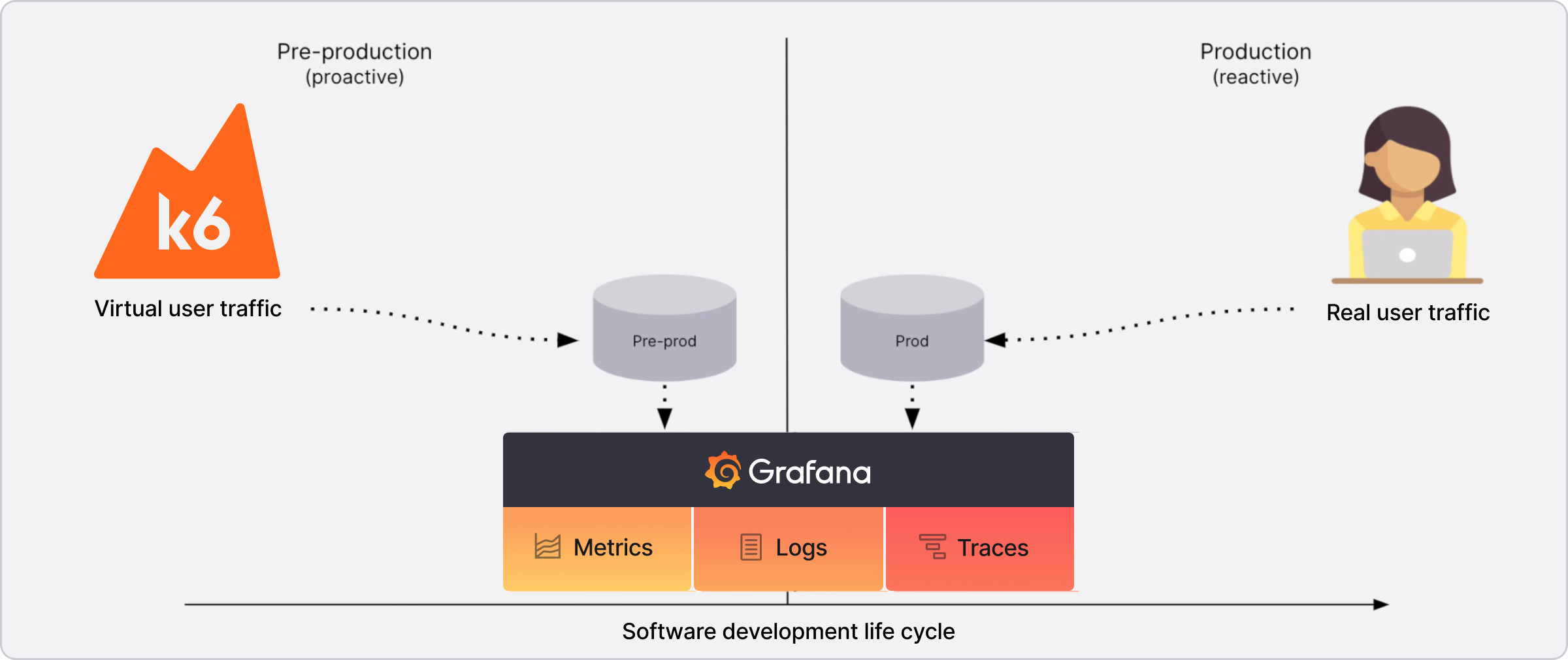
k6 by Grafana writes load tests in JavaScript. Test scripts are plain .js files that live in your repository. They look like code because they are code.
import http from "k6/http";
import { check, sleep } from "k6";

export const options = {
  vus: 50,
  duration: "30s",
};

export default function () {
  const res = http.get("https://api.example.com/orders");
  check(res, { "status is 200": (r) => r.status === 200 });
  sleep(1);
}
Where it beats JMeter
- Test scripts are plain JavaScript files that live in git and get reviewed in PRs
- No GUI required: runs entirely from the CLI or a CI pipeline
- Integrates natively with Grafana for real-time metrics visualization
- A meaningful first test takes minutes to write, not hours
- Native Kubernetes operator available for cloud-scale distributed test runs
Trade-offs
- k6 runs scripts in a custom JavaScript runtime, not Node.js: not all npm packages work
- JMeter has a larger ecosystem of protocol plugins covering FTP, LDAP, JDBC, and others
- For teams with significant existing JMeter infrastructure, migration has a real cost
Workflow example
You add a load test to your CI pipeline that runs on every staging deployment. The script is in tests/load/checkout.js, reviewed in PRs like any other code, and runs 50 virtual users for 30 seconds against the staging API. If p95 latency exceeds your threshold, the pipeline fails. This setup takes minutes to write in k6 and would take hours to configure and maintain in JMeter.
9) Devbox
Isolated, reproducible development environments without Docker Desktop
Replaces: Docker Desktop for local dev environment management

Docker Desktop is the standard way to manage local development environments on macOS and Windows. It is also a 500MB+ application that requires a commercial license for teams above 250 people, and runs a Linux VM under the hood that adds measurable overhead to file operations inside containers on non-Linux machines.
Devbox takes a different approach. It uses the Nix package manager to create isolated development environments per project, with no containers involved. You can have Node.js 18 in one project and Node.js 22 in another with no conflicts and no VM overhead.
Where it beats Docker Desktop for dev environments
- No VM overhead on macOS: packages run natively on the host
- No commercial licensing requirement for any team size
- Instant shell activation with
devbox shell devbox.jsonis a version-controlled, human-readable dependency file- Reproducible across machines without image pulls or multi-minute build steps
Trade-offs
- Devbox does not replace Docker for running containerized services locally; use it alongside Docker for that
- The Nix package ecosystem is large but sometimes has gaps on specific package versions
- First install of packages is slow as Nix downloads and builds them; subsequent uses are cached
- Less familiar to engineers who have never worked with Nix-based tooling
Workflow example
A new engineer joins your team. Instead of spending a morning installing the right versions of Node.js, Python, and the PostgreSQL client library while fighting conflicts with their existing global setup, they clone the repo, run devbox shell, and Devbox installs the exact versions specified in devbox.json. Their global machine is untouched. Teardown is exit.
10) Pocketbase
Single-binary backend for internal tools and small projects
Replaces: Firebase / Supabase for small use cases
Firebase and Supabase solve real problems at scale. They are also cloud-hosted services with usage-based pricing, vendor lock-in, and operational overhead that is overkill for internal tools, side projects, and small applications that will never have thousands of concurrent users.
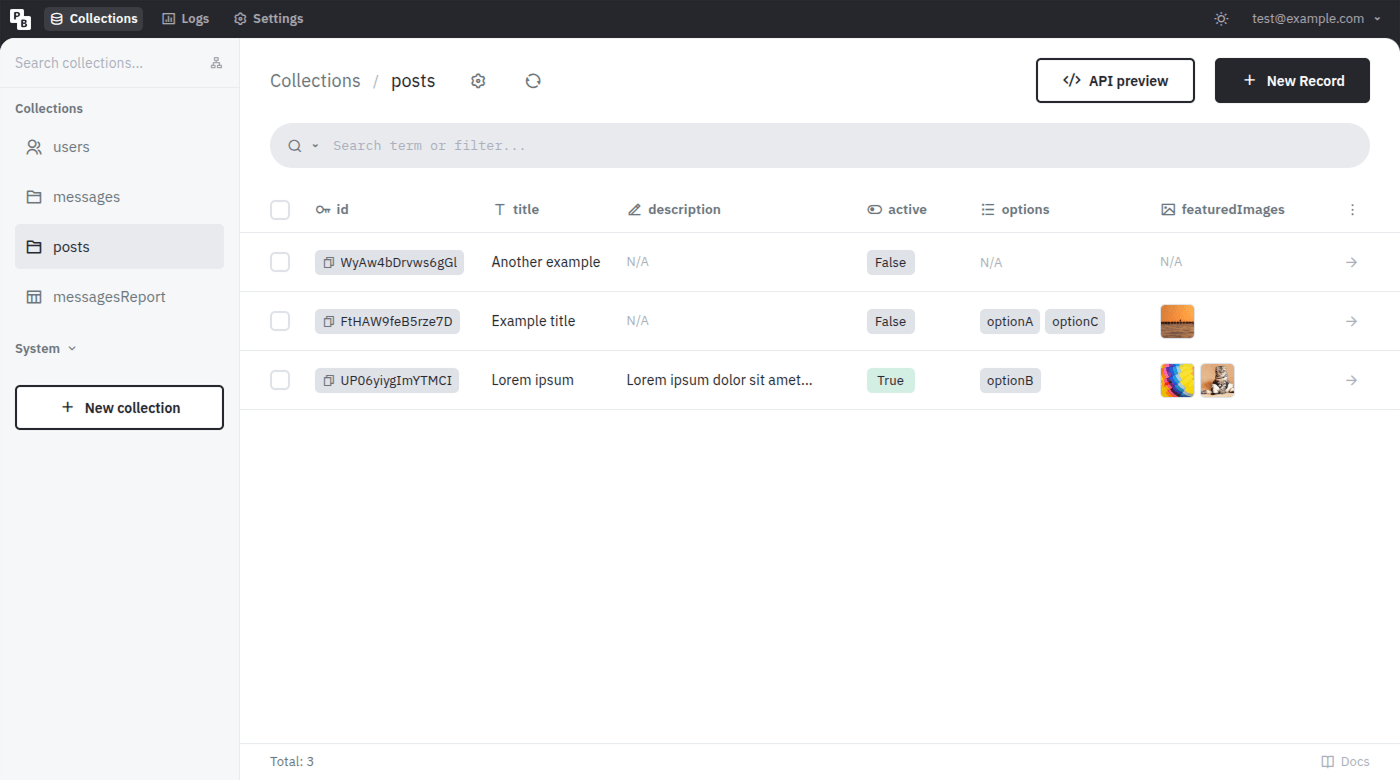
Pocketbase is a single Go binary that gives you a real-time database, authentication, file storage, and an admin dashboard. You download one file, run it, and you have a working backend. No cloud account required.
Where it beats Firebase and Supabase for small use cases
- One binary, zero cloud dependency, zero managed service cost
- Real-time subscriptions and authentication out of the box
- Admin UI included with no separate dashboard configuration
- Extensible via Go or JavaScript hooks for custom server logic
- Your entire data layer is a single SQLite file you back up with
cp
Trade-offs
- Not suitable for high-traffic or distributed applications
- Horizontal scaling is constrained by SQLite
- Firebase and Supabase have far larger SDK ecosystems, better mobile client support, and managed infrastructure for when you actually need scale
- Pocketbase is best when operational simplicity is the core requirement
Workflow example
You need an internal admin tool with user authentication, a few data tables, and file uploads. With Firebase or Supabase this means configuring a cloud project, setting up auth providers, writing security rules, and managing API keys. With Pocketbase you run one binary, set up your collections in the admin UI in 20 minutes, and deploy it to a $5 VPS. The entire backend state is one SQLite file you can back up or restore in seconds.
Where To Start
All 10 of these tools are worth evaluating, but if you want three high-impact changes this week:
Atuin is the lowest-friction install on this list. It improves something you use dozens of times every day immediately after setup.
HTTPie replaces a tool you likely already use with one that makes every interactive debugging session faster, without changing your workflow at all.
LocalStack has the highest leverage for any backend engineer regularly developing against AWS. The first time you run a full local integration test without a real AWS account, the value is immediate.
The rest depends on your stack and current pain points. Pick the one that replaces the tool you complain about most.
Popular does not mean best. Familiar does not mean right. Your default tool stack is worth auditing at least once a year.
Comments
Join the discussion on GitHub.